Clover Kiosk: Self Ordering for restaurants
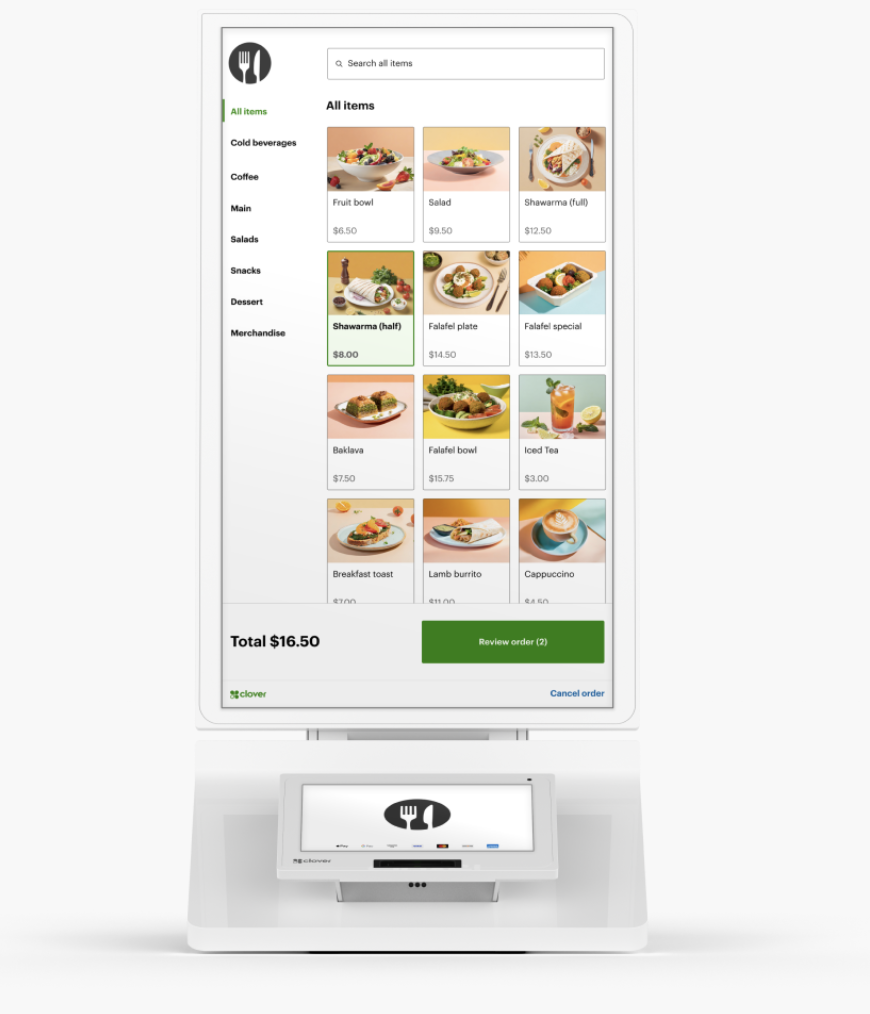
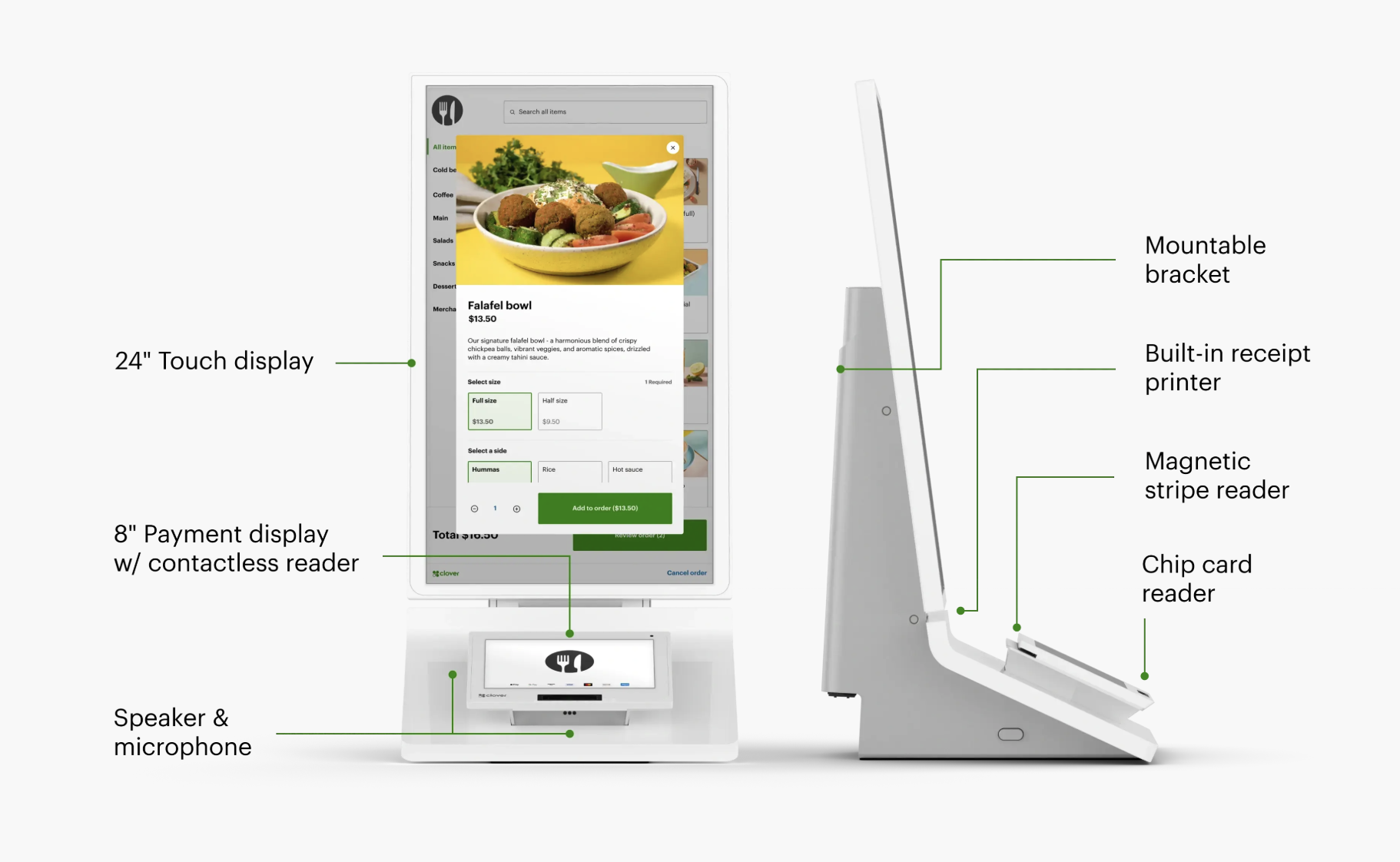
Our all-in-one device features an enterprise grade 24″ display, versatile payment terminal, and a built-in printer, all with low-touch set up.
*Clover Kiosk is available in English only and not offered in the province of Quebec.
Streamline Your Business with Clover Kiosk
Welcome to the future of customer service! The Clover Kiosk is the ultimate self-service solution that puts your customers in control while optimizing your business operations. Whether you’re running a quick-service restaurant, retail store, or service business, Clover Kiosk offers a seamless, easy-to-use interface that simplifies the customer experience.
Self Ordering, Optimized
Boost Efficiency
Free up your staff to focus on value-added tasks rather than taking orders.
Improve Customer Experience
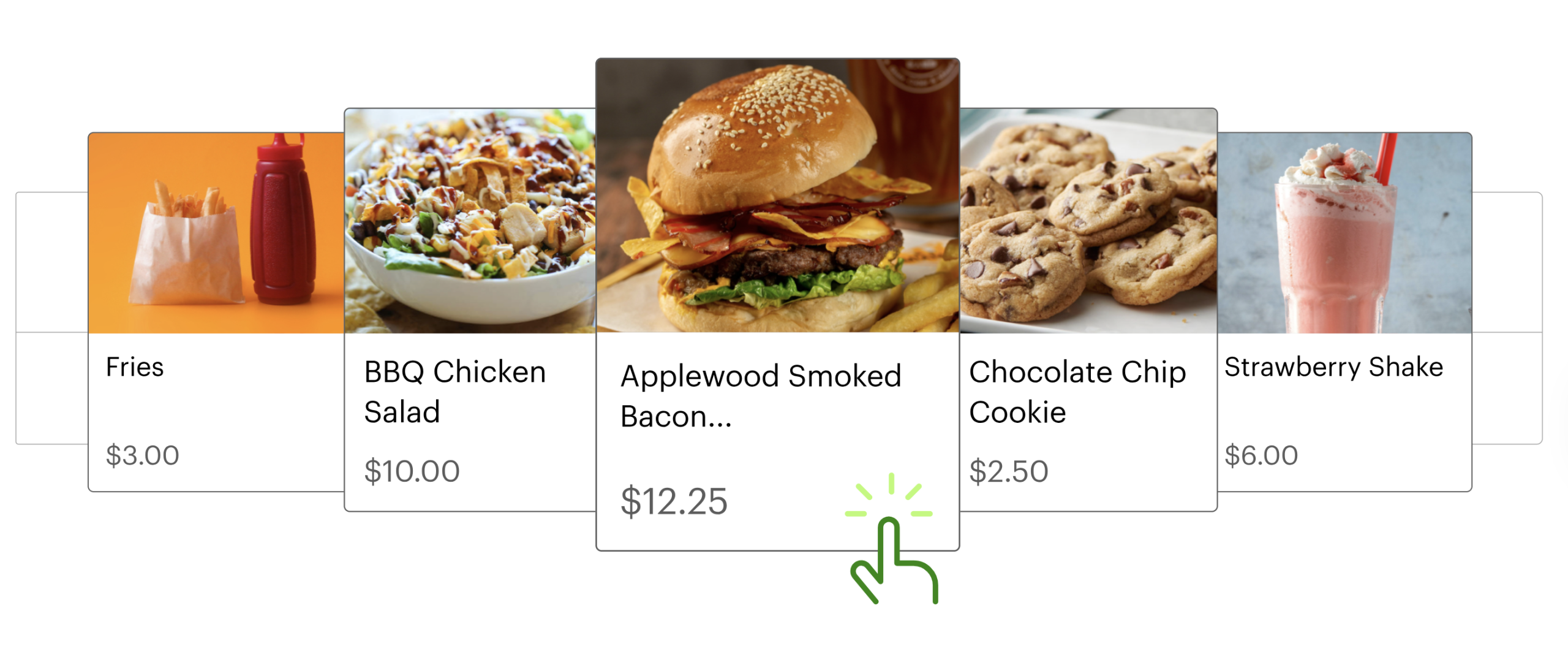
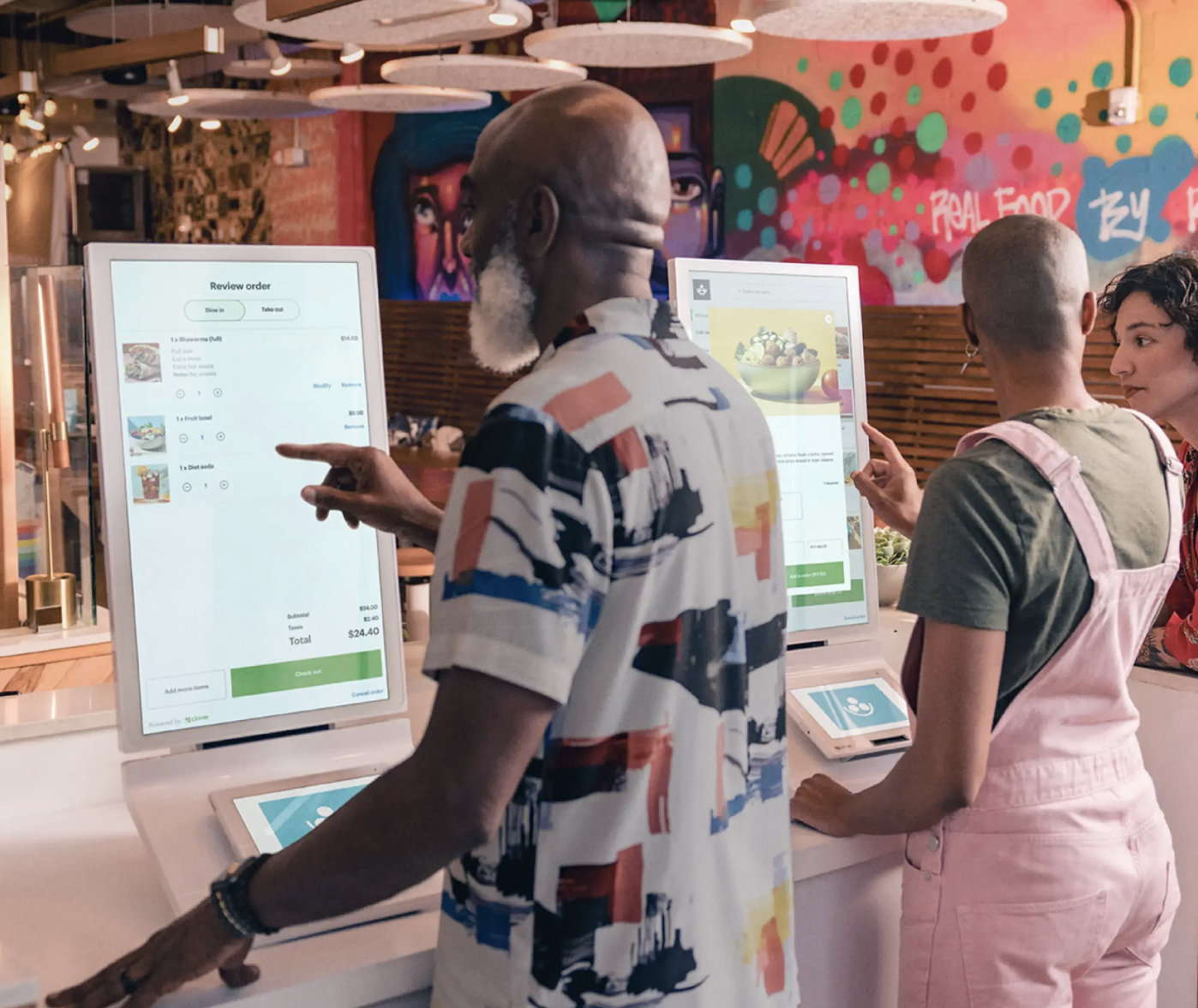
Let customers browse menus at their own pace and customize their orders the way they want.
Grow Your Average Ticket Size
Increase restaurant revenue by promoting cross-selling and upselling options on the ordering kiosk.
Clover Kiosk - Streamline Your Business

User Friendly

Shorter Lines

More Customer Browsing Time

Improved Order Accuracy
Clover Kiosk Gives Your Customers An Enhanced Experience
Clover Kiosk Is Easy To Set Up
Clover Kiosk Is Easy to Set Up
Step-by-Step Instructions
Guided set up walks you though each setup step from checking for images to tipping and printer setup.
Syncs With Your Point of Sale System
Connects to and pulls your menu directly from your Clover POS system—keeping your items and pricing in sync.
Orders Displayed in Your Kitchen
IOrders show up on your Kitchen Display System or print to your kitchen printer just as if they were placed at your counter..
CLOVER KIOSK PRODUCT DETAILS
Payments:
Accepts contactless, chip, swipe, and debit PIN payments
Screens:
24″ order touch screen and 8″ payment touch screen
Receipt printer:
Built-in thermal dot receipt printer
Security:
Clover Security end-to-end encryption
Connectivity:
Wi-Fi, ethernet, and LTE connectivity
Mount:
Optional wall mount accessory and supports 100mm VESA mounts
With Clover Kiosk You Have Placement Options
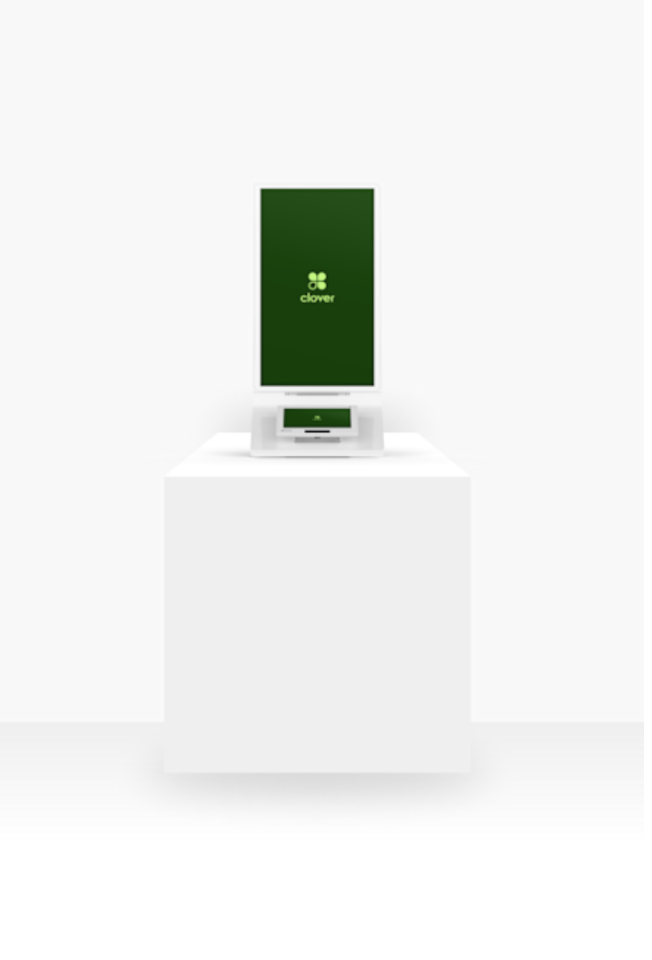
COUNTERTOP
Take your Clover Kiosk out of the box and place it on your counter top. Follow the easy, guided set up instructions. You’re ready to take orders,
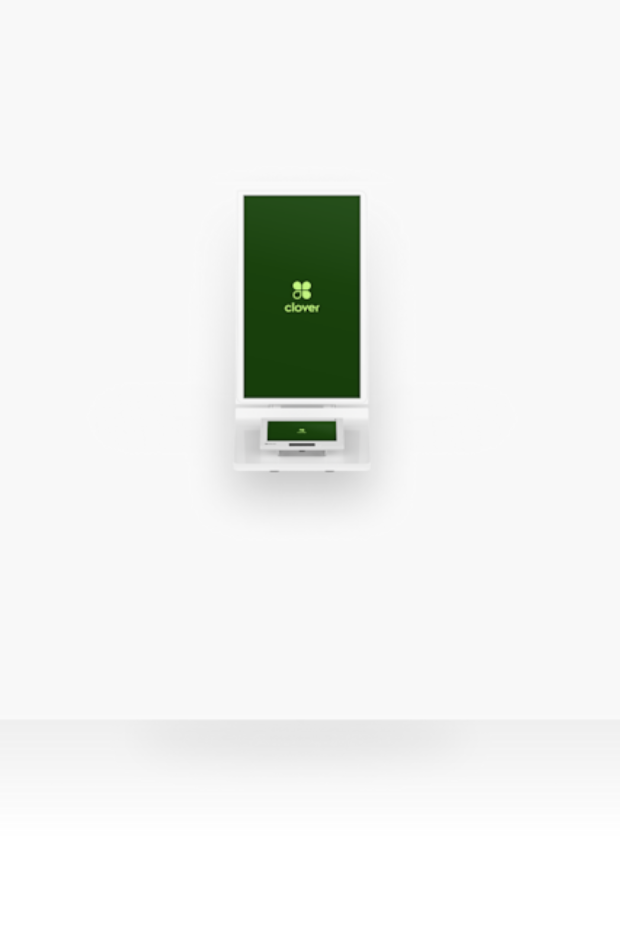
WALL MOUNTED
Clover’s optional bracket accessory or any 3rd party 100 mm VESA mount make wall mounting simple.
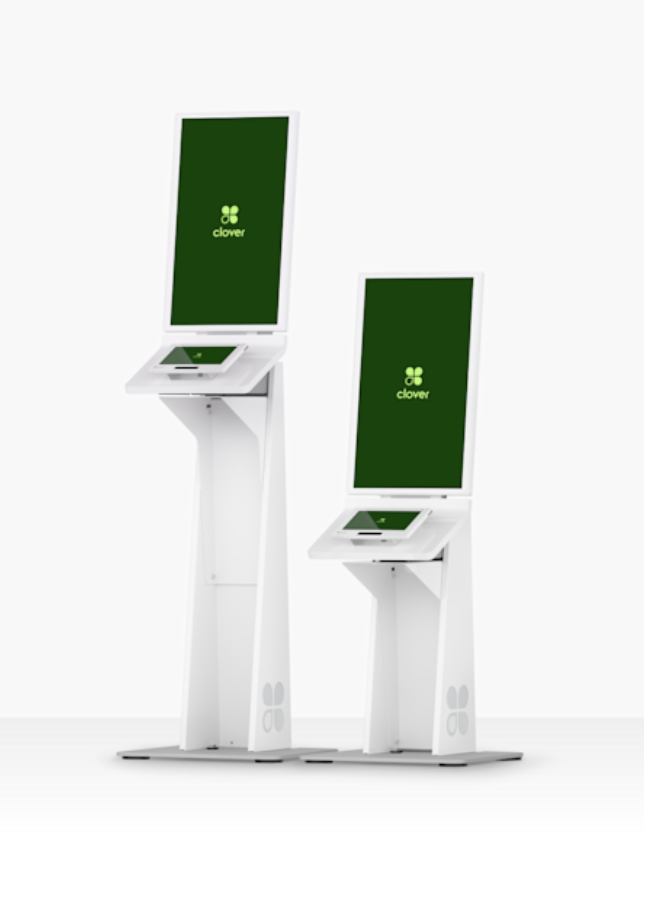
FLOOR STAND-Coming Soon
The Floor Stand accessory has high and low setting options for people who are non diisabled or use wheelchairs.
Your Clover Kiosk Questions Answered
WHAT IS CLOVER KIOSK?
Clover Kiosk is a self-ordering solution for restaurants that allows customers to browse menus, place orders, and make payments independently. Designed to enhance restaurant operations and elevate the customer experience, CLover Kiosk features a 24″ touchscreen display for ordering and an 8″ payment terminal, integrating seamlessly with existing Clover POS systems.
This innovative platform offers a comprehensive package of features:
➡ User-Friendly Touchscreen Interface: Simplifies the ordering process with intuitive navigation.
➡ Vibrant Digital Menu Boards: Showcases offerings with high-quality visuals to entice customers.
➡ Contactless Payment Options: Provides quick and secure transactions through modern payment methods.
➡ Integration with Kitchen Display Systems: Streamlines order management for efficient kitchen operations.
With its sleek design and robust capabilities, the Clover self-service kiosk is an attractive option for restaurants aiming to modernize their ordering process and stay ahead in a competitive market.
WHY CHOOSE CLOVER KIOSK?
➡ Efficient Ordering
Reduce wait times and eliminate order errors with Clover Kiosk’s intuitive touchscreen system. Customers can browse your menu, make selections, and customize their orders with just a few taps, allowing them to have a more personalized experience.
➡ Integrated Payments
wait times and eliminate order errors with Clover Kiosk’s intuitive touchscreen system. Customers can browse your menu, make selections, and customize their orders with just a few taps, allowing them to have a more personalized experience.
➡ Optimize Your Operations
Clover Kiosk syncs seamlessly with your existing Clover POS, making it easy to manage orders and payments in real-time. This integration not only improves accuracy but also allows your staff to focus on other tasks, improving efficiency and customer satisfaction.
➡ Customizable Experience
Tailor your kiosk to match your brand’s look and feel. Whether it’s custom layouts, product images, or menu configurations, Clover Kiosk offers the flexibility to adapt to your specific business needs.
➡ Real-Time Reporting & Insights
Gain valuable insights into customer preferences, sales patterns, and order trends with Clover Kiosk’s built-in reporting tools. These actionable reports help you make informed business decisions and optimize your offerings for maximum profitability.
BENEFITS OF CLOVER KIOSK FOR RESTAURANTS
Clover Kiosk boosts efficiency by freeing up staff, improves customer experience by reducing wait times, and increases average order values through intelligent upselling. It also provides valuable data analytics for business insights.
Adopting the Clover Kiosk ordering system brings numerous advantages for both restaurants and their patrons.
FOR RESTAURANTS
➡ Increased Efficiency:
By allowing customers to place their own orders, staff can focus on other crucial tasks, significantly reducing wait times and improving overall operational efficiency.
➡ Higher Average Order Value:
The Clover self-ordering kiosk excels at upselling and cross-selling, leading to increased average order values and boosted revenue.
➡ Reduced Errors:
With customers inputting their own orders, there’s a notable decrease in miscommunications and order mistakes.
➡ Labor Cost Optimization:
Self-service kiosks can help optimize staff allocation, potentially reducing labor costs without sacrificing service quality.
FOR CUSTOMERS
➡ Reduced Wait Times:
Self-ordering kiosks eliminate long queues, allowing customers to place orders quickly and efficiently..
➡ Reduced Wait Times:
Self-ordering kiosks eliminate long queues, allowing customers to place orders quickly and efficiently..
➡ Customization Options:
Customers can easily personalize their orders, exploring menu items and add-ons at their own pace.
➡ Consistent Experience:
Clover Kiosks provide a uniform ordering experience across different restaurant locations, enhancing brand consistency.
ENHANCE CUSTOMER EXPERIENCE WITH CLOVER KIOSK
The Clover Kiosk significantly improves the customer experience by offering:
➡ Personalized Ordering: Customers can take their time to browse the digital menu, customize their orders, and make informed choices without feeling rushed.
➡ Reduced Errors: By inputting their own orders, customers can ensure accuracy and reduce the likelihood of miscommunications.
➡ Digital Menu Exploration: Interactive menus with high-quality images and detailed descriptions help customers discover new items and make confident choices..
➡ Multilingual Support: Kiosks can offer multiple language options, catering to a diverse customer base and improving accessibility.
CAN I CUSTOMIZE THE LOOK OFF CLOVER KIOSK TO MATCH MY RESTAURANT'S BRANDING?
HOW DOES CLOVER KIOSK HELP WITH UPSELLING
WHAT FORMS OF PAYMENT DOES CLOVER KIOSK ACCEPT?
CLOVER KIOSK INTEGRATION AND SETUP
Clover Kiosk is designed to integrate seamlessly with Clover POS systems. It syncs directly with your menu and pricing, ensuring consistency across all ordering platforms.
One of the key strengths of the Clover kiosk is its seamless integration with existing restaurant systems. The installation process is straightforward, involving:
➡ Hardware Setup: Installing the physical kiosk units in strategic locations within the restaurant.
➡ Software Integration: IConnecting the kiosks to the main Clover POS system and synchronizing menu items and pricing.
➡ Kitchen Display System (KDS) Connection: Ensuring orders from the kiosk are instantly relayed to the kitchen for preparation.
➡ Staff Training: Familiarizing staff with the new system to provide assistance to customers when needed.
The Clover POS integration ensures that all orders, whether placed through the kiosk or traditional methods, are processed uniformly, maintaining operational consistency.
HOW DOES CLOVER KIOSK HANDLE KITCHEN COMMUNICATION?
BOOSTING REVENUE WITH CLOVER KIOSK
➡ Increased Average Order Value:
Through strategic upselling and cross-selling prompts, kiosks can encourage customers to add extra items or upgrade their orders.
➡ Operational Efficiency:
By streamlining the ordering process, restaurants can serve more customers in less time, potentially increasing overall sales volume.
➡ Data-Driven Menu Optimization:
Insights gathered from kiosk orders can inform menu adjustments, highlighting popular items and combinations to maximize profitability.
HOW CAN CLOVER KIOSK HELP ME UNDERSTAND MY BUSINESS BETTER
➡ Customer Behavior Analysis:
Track ordering patterns, popular items, and peak times to inform business decisions.
➡ Menu Performance Metrics:
Identify top-selling items, underperforming dishes, and effective upsell combinations.
➡ Operational Insights:
Analyze transaction times, order accuracy, and other key performance indicators to continually improve efficiency.
These data-driven insights enable restaurant owners to make informed decisions about menu offerings, pricing strategies, and operational improvements.
HOW DOES CLOVER KIOSK COMPARE COST-WISE TO OTHER KIOSK SOLUTIONS?
Every Clover System Comes With Peace Of Mind

Free Overnight Shipping

Hassle Free Returns

Consistent Rates

Exceptional Live Help
Need Help Building Your Clover Point Of Sale System?
Call Us At 1.888.616.6967 or Get In Touch